ShuttleSCP
A graphical SFTP, SCP and FTP client for Linux, inspired by WinSCP.
Install
- Download the AppImage above. It is one file holding ShuttleSCP and everything it needs.
- Make it runnable, from your file manager (Properties › Permissions › "Allow executing file
as program") or a terminal:
chmod +x ShuttleSCP-*-x86_64.AppImage - Run it. ShuttleSCP adds itself to your desktop's app launcher the first time, and from then on checks for new versions and can update itself (Help › Check for Updates).
It needs a 64-bit Linux from 2024 or later (Ubuntu 24.04, Fedora 40, Debian 13 and the
like). To check a download by hand, compare it with the release's checksums:
sha256sum --check SHA256SUMS.
Features
SFTP, SCP and FTP
SSH, plain FTP and FTPS (explicit or implicit TLS), passive or active.
SSH keys
Log in with a key file (OpenSSH or PuTTY .ppk) or your SSH agent, as well as passwords.
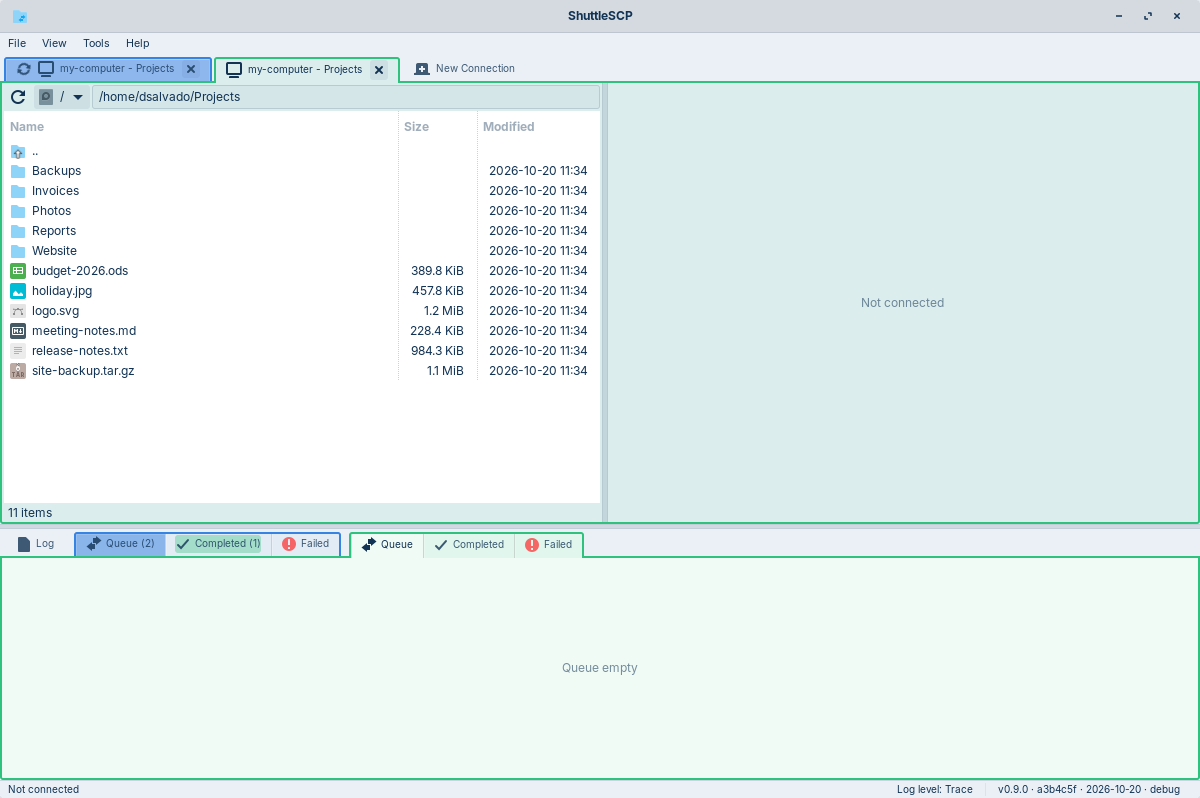
Two panes
This computer on the left, the server on the right; drag and drop between them.
Several connections
Each in its own tab and colour, with its own transfer lists.
Safe transfers
Asks before replacing files; interrupted transfers continue where they stopped.
Passwords in the keyring
Saved in GNOME Keyring or KWallet, never in a plain file.
Signed updates
Updates are only installed when signed with the ShuttleSCP release key.
Build from source
You need Rust 1.88 or newer and the GTK 4 development files
(libgtk-4-dev on Debian and Ubuntu, gtk4-devel on Fedora):
git clone https://github.com/dsalvado/shuttlescp.git
cd shuttlescp
cargo run --release
How it was built
ShuttleSCP was built with Claude Code, Anthropic's AI coding agent. After moving from Windows to Linux I missed WinSCP, so I set out to build the tool I wanted, and to use the project to learn modern project engineering with AI tools. Claude wrote the code; I decided what to build, reviewed and tested every change, and made the calls on design, security and releases. The README has the details.